
TL;DR:
- Photo booth galleries are created automatically by uploading captured media to cloud storage or local archives, then delivered via QR code, SMS, or email. Proper planning around connectivity, storage, branding, and retention policies ensures a seamless guest experience and effective marketing for corporate clients. Managing privacy, timing, and storage options is essential for event success and legal compliance.
Photo booth galleries are created automatically by piping captured media from the booth to a cloud gallery or local archive, then delivered to guests via QR code, SMS, email, or live display. The entire pipeline runs in the background while guests are still at the event, which means planners need to make four decisions before doors open: connectivity plan, storage destination, branding configuration, and retention policy.
Here is what that looks like in practice. A guest steps into the booth, the camera fires, and the software renders the image locally with overlays and templates. That file uploads automatically to a vendor cloud, or syncs to Dropbox, Google Drive, or OneDrive depending on your setup. A unique session link or QR code generates instantly. The guest scans, downloads, and shares before they have finished their drink. Privacy frameworks like CCPA apply the moment you collect an email or phone number, so consent language needs to be in the booth interface before any of that happens.
Key decisions for planners at a glance:
- Connectivity: wired ethernet preferred; cellular hotspot as backup
- Storage: vendor cloud (simpler, hosted) vs. third-party drive (more control, needs configuration)
- Branding: logos, overlays, and SMS/email copy set before the event
- Retention: standard packages commonly offer a few weeks to a couple of months; premium options extend to several months or provide permanent downloads
Table of Contents
- How photo booth galleries work: the technical pipeline
- Where are your images actually stored?
- How galleries become branded marketing assets
- How guests receive and view their photos
- Managing the gallery during and after the event
- Privacy, ownership, and retention: what planners must decide
- When do galleries go live, and what does hosting cost?
- Onsite setup checklist from an event operator
- Key Takeaways
- Why branded live galleries change the event experience
- Fiesta Fusion handles the gallery setup so you don't have to
- Useful sources and further reading
- FAQ
How photo booth galleries work: the technical pipeline
Every gallery starts at the camera. The booth captures a JPEG, PNG, GIF, or MP4 depending on the mode selected, then the local device handles all the heavy lifting before anything touches the internet.

Local processing happens first. The booth software applies overlays, branded templates, and compression, then generates a thumbnail. This step runs on the booth's own hardware, so the output is consistent even if the upload is delayed.
Background upload is what makes galleries feel automatic. The software assigns a session identifier to each capture and uses it to build a unique link or QR code. That file uploads in the background while the guest is still reviewing their image on the touchscreen. Automated guest delivery commonly uses session-specific QR codes, SMS, or email links generated at the moment of capture.
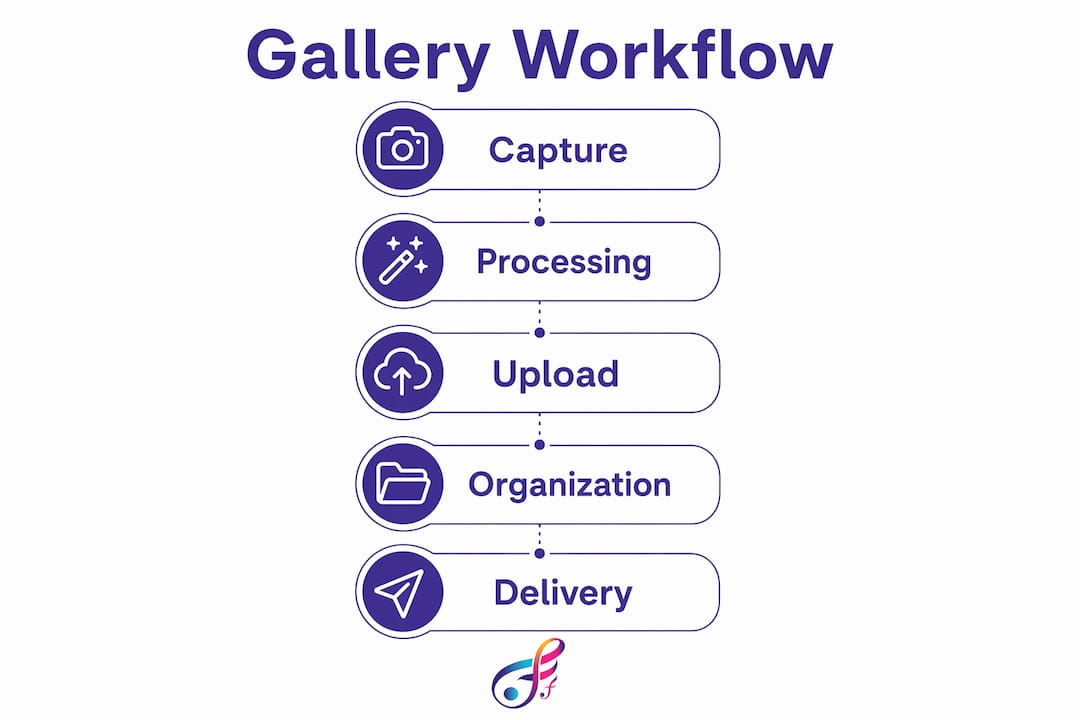
Gallery creation happens on the server side. The platform maps each upload to the event's gallery and organizes images into a public or private album. Guests see their photo appear in the shared gallery within seconds of capture on a solid connection.
The flow in plain terms: capture → local processing → background upload → gallery → guest delivery.
Pro Tip: Reduce the number of buttons on the sharing screen. A prefilled SMS field with one tap to send consistently moves guests through faster than a multi-step form, which keeps the line moving.
Where are your images actually stored?
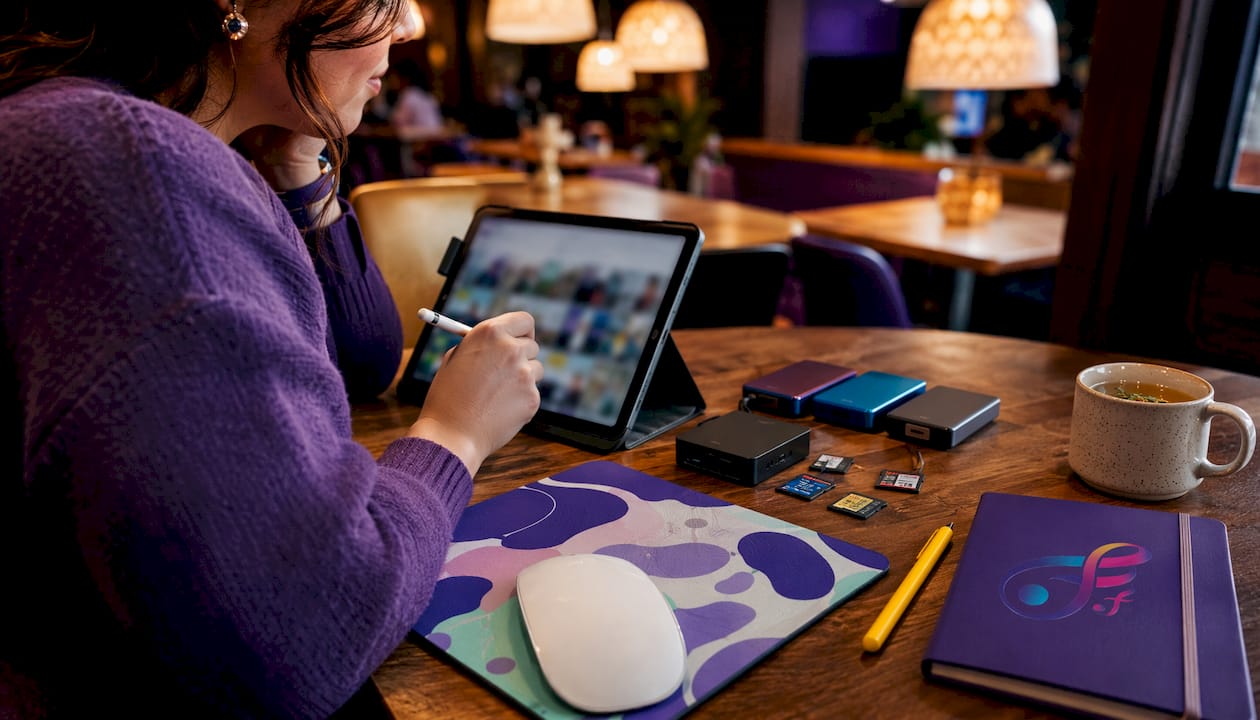
Photo booth pictures are typically stored in three places: local drives (SSDs or SD cards inside the booth), a vendor-hosted cloud, and third-party cloud drives like Dropbox, Google Drive, or OneDrive. Each option carries different tradeoffs.
| Storage option | Control | Gallery features | Typical cost |
|---|---|---|---|
| Local SSD/SD | Full | Manual export required | Hardware only |
| Vendor cloud | Low | Branding, moderation, live updates | Hosting fee per event |
| Dropbox / Google Drive / OneDrive | High | Requires configuration; auto-sync available | Storage plan cost |
Vendor-hosted galleries simplify everything. Branding, download limits, moderation, and bulk export are built in. The tradeoff is a hosting fee and less flexibility over where data lives. Third-party drives give you more control and often lower per-event cost, but someone has to configure the sync rules and folder structure before the event.
Retention is the detail planners most often overlook. Standard packages commonly offer hosted storage for a few weeks to a couple of months. Premium tiers extend hosted storage longer or provide permanent download links. Download the full archive as soon as you receive the final gallery link. Many systems purge data automatically, and recovering a deleted session after the fact is not guaranteed.
How galleries become branded marketing assets
For corporate clients, a photo booth gallery is not just a memory keeper. It is a marketing channel. Cloud galleries can be branded with logos, color schemes, and lead-capture forms, turning the gallery interface into an asset that extends client branding beyond the event.
Branding elements you can configure:
- Overlays and watermarks: applied at the local processing stage, so every image carries the brand before it uploads
- Email and SMS copy: customize the delivery message with event name, client logo, and a call to action
- Gallery color scheme and header: match the client's brand standards in the hosted gallery interface
Lead capture is where corporate activations get serious. An opt-in checkbox on the sharing screen collects email addresses with explicit consent. That data routes to a marketing CRM, and the gallery becomes a list-building tool. Planners should disclose in the booth interface exactly how contact information will be used, and that language needs to be approved by the client before the event.
For corporate activations, the gallery opt-in is often the most valuable deliverable of the entire event. A well-configured lead capture form with clear consent language can generate a qualified list that the client's marketing team uses for months after the booth is packed up.
Pro Tip: Set the opt-in checkbox to unchecked by default. Pre-checked consent boxes are a compliance risk under CCPA and create friction with guests who feel pressured. An unchecked default actually improves list quality because every opt-in is intentional.
How guests receive and view their photos
Guest delivery happens through several channels simultaneously, and the best setups use more than one.
- QR codes: generated per session and displayed on the booth screen immediately after capture; guests scan with any smartphone camera, no app required
- SMS links: sent to the guest's phone number if collected at the sharing screen; session-specific links open directly to the guest's image
- Email links: useful for corporate events where guests prefer a professional delivery channel
- Live photo walls: real-time displays push uploads to screens using WebSockets; on a solid connection, photos typically appear in 5–15 seconds, with the full upload-to-screen loop often under 30 seconds
- Embedded galleries and microsites: the gallery URL can be embedded in an event page or private client portal for post-event browsing
Live photo walls create a feedback loop that keeps guests engaged. Someone sees their photo on the wall, grabs a friend, and heads back to the booth. That cycle drives volume.
Pro Tip: Print QR codes at multiple high-visibility locations, not just at the booth itself. Bar tops, table tents, and entry signage all drive scans from guests who never waited in the booth line.
Managing the gallery during and after the event
Gallery management is an active job, not a set-it-and-forget-it task. Here is a practical workflow for onsite staff.
Pre-event checklist:
- Test the full pipeline: capture one image, confirm it appears in the gallery within 30 seconds
- Assign a dedicated moderator with access to the management dashboard
- Confirm retention policy and download schedule with the client
- Test resend and reprint functions from the kiosk interface
During the event:
- Auto-filters handle obvious NSFW content, but a human moderator should review the queue every 30 minutes
- Advanced booth software lets operators resend images by SMS or email and perform on-site reprints without leaving kiosk mode, accessed via hidden shortcuts or on-screen buttons
- Keep a log of any guest complaints about missing images so you can resend or reprint quickly
Post-event:
- Run bulk approvals and remove any images the client flagged
- Export the full archive and confirm delivery to the client
- Send the final gallery link and download instructions to the event host
Pro Tip: Schedule a gallery sync check every hour during the event. If the upload queue has stalled, you want to catch it before 200 images are waiting to push rather than after.
Privacy, ownership, and retention: what planners must decide
Ownership of the final image archive typically transfers to the event host, not the guests. Guests receive personal copies through their delivery links, but the master archive belongs to whoever booked the service. Confirm this in writing before the event.
Privacy controls to configure before doors open:
- Password protection: limits gallery access to guests who received the link
- Per-image hiding: lets the moderator remove specific images without deleting them from the archive
- Opt-in for marketing use: required if images or contact data will be used in post-event campaigns
CCPA applies to any California resident whose contact information you collect at an event, regardless of where the event takes place. GDPR applies if any EU residents are in attendance. The practical minimum: an unchecked opt-in checkbox with plain-language disclosure before any contact data is submitted.
Guests have a reasonable expectation that their photo booth images are private unless they explicitly share them. A password-protected gallery with a clear retention timeline is the baseline standard for any professional photo booth service.
Privacy options vary by platform, so confirm available controls with your software provider before the event, not during it.
This article is general information, not legal advice. Confirm your specific consent and data retention obligations with a qualified attorney for your event's jurisdiction.
When do galleries go live, and what does hosting cost?
Timing: Real-time galleries go live the moment the first image uploads, which is typically within seconds of capture on a solid connection. Post-event upload windows apply when the booth was offline during the event; offline queuing stores files locally and uploads when connectivity is restored, which creates a delay and requires a post-event sync check.
Pricing shapes you will encounter:
- Per-event flat fee for hosted gallery access and branding tools
- Monthly hosting subscription for operators running multiple events
- Extended retention add-ons billed per month beyond the standard window
- Per-download fees on some consumer-tier platforms
Free or low-cost setups using Dropbox, Google Drive, or OneDrive skip the hosting fee but require manual configuration and lack built-in branding and moderation tools. Hosted gallery plans with branding, moderation, and live display features carry a higher per-event cost but deliver a finished product with no configuration overhead.
Include hosting and retention terms in every contract. Specify who pays for extended retention if the client wants images available beyond the standard window, and put the download deadline in writing.
Onsite setup checklist from an event operator
Getting the gallery right on event day comes down to preparation, not luck. Here is the sequence that reduces failure points.
- Connectivity first: prefer wired ethernet at the booth; bring a dedicated cellular router or hotspot as backup. Venue internet is the single most common point of failure for real-time galleries.
- Camera and printer check: confirm camera settings, run a test print, and verify paper and ink levels before guests arrive
- QR code placement: post codes at the booth, the bar, and at least one high-traffic entry point; verify each code scans correctly on both iOS and Android
- Display screen placement: position the live photo wall where it is visible from the dance floor or main gathering area, not tucked in a corner
- Staff roles: assign a moderator, a reprint/resend operator, and a floating tech who can troubleshoot connectivity without pulling the moderator off the queue
- Hourly sync check: verify the upload queue is clear every hour; a stalled queue during a busy hour can back up dozens of images
Pro Tip: Preprint a small batch of QR cards to hand out at guest arrival. Guests who scan early are more likely to return to the booth later, and early scans confirm your delivery pipeline is working before the event hits full capacity.
The events where galleries fail are almost never software failures. They are connectivity failures that nobody tested before the room filled up. Run a live upload test with the venue's Wi-Fi before doors open, and if it is slow, switch to your cellular backup immediately rather than hoping it improves.
Key Takeaways
Photo booth galleries work automatically when connectivity, storage, branding, and retention are configured before the event, not during it.
| Point | Details |
|---|---|
| Automated pipeline | Images move from capture to cloud gallery to guest delivery without manual intervention when configured correctly. |
| Storage choice matters | Vendor cloud simplifies branding and moderation; Dropbox, Google Drive, and OneDrive give more control but require setup. |
| Retention window | Standard hosting commonly covers 30–60 days; download the full archive immediately on receipt of the final link. |
| Privacy and consent | Configure password protection, per-image hiding, and an unchecked opt-in checkbox before the event opens. |
| Fiesta Fusion's approach | Fiesta Fusion handles branded gallery setup, onsite moderation, and connectivity planning for events across Northern Utah. |
Why branded live galleries change the event experience
Most planners focus on the booth hardware and the prints. The gallery is an afterthought, something that gets set up the morning of the event and forgotten once the booth is running. That is a missed opportunity, and it shows up in the guest experience.
A live, branded gallery does something a print cannot: it keeps the event alive after guests leave the venue. Someone shares the gallery link in a group chat at 11 PM, and suddenly people who left early are scrolling through images and tagging friends. That reach is real marketing value for corporate clients and a genuine memory-making moment for weddings and quinceañeras.
The difference between a gallery that guests actually use and one they ignore usually comes down to two things: delivery speed and visibility. If the QR code is only at the booth and the SMS link takes 10 minutes to arrive, engagement drops. When the code is everywhere and the link arrives in under a minute, guests share before they have thought about it.
Fiesta Fusion handles the gallery setup so you don't have to
Planning a photo booth experience in Northern Utah means dealing with venue Wi-Fi that ranges from solid to nonexistent, and gallery software that requires configuration most planners don't have time for. Fiesta Fusion takes that off your plate entirely.
Every photo booth rental from Fiesta Fusion includes branded gallery setup, onsite connectivity management, and a dedicated operator who handles moderation, resends, and reprints throughout the event. Extended gallery hosting and custom branding are available as contract add-ons, so your clients keep access to their images well past the standard window. Fiesta Fusion serves Weber County, Davis County, and Salt Lake City, and the team brings cellular backup to every event as standard practice.
Ready to talk through your connectivity plan, branding needs, and retention terms? Get in touch with Fiesta Fusion to check availability for your event date.
Useful sources and further reading
The sources below are worth bookmarking for operators and planners who want to go deeper on specific parts of the gallery workflow.
| Source | Best for |
|---|---|
| Where Are Photo Booth Pictures Stored | Storage formats, retention timelines, and privacy controls |
| How Real-Time Photo Walls Work | WebSocket delivery, connectivity requirements, and display setup |
| BoothGallery | Automated gallery creation from Dropbox, Google Drive, and OneDrive |
| Internet Photo Booth: Cloud Sharing | End-to-end cloud architecture, QR/SMS delivery, and branding |
| Darkroom Booth 2026 | Kiosk gallery management, reprints, and resend workflows |
| How to Get Your Photos from a Photo Booth | Guest-facing retrieval guide and provider retention practices |
For operators, the Darkroom Booth and Photogala sources are the most technically detailed. For planners focused on guest experience and storage decisions, start with the BoothGallery and DigiBooths resources.
FAQ
How long do photo booth galleries stay online?
Standard hosting commonly covers 30–60 days after the event; premium plans extend to 6–12 months or offer permanent download links. Download the full archive as soon as you receive the final gallery link, since many platforms purge data automatically after the retention window closes.
Do photo booths keep your pictures after the event?
Most providers retain event archives for weeks or months and can locate sessions by timestamp or event name on request. The event host typically receives the master archive; guests receive personal copies through their session links.
How much does photo booth gallery hosting usually cost?
Pricing varies by platform and feature set. Free setups using Dropbox, Google Drive, or OneDrive skip hosting fees but require manual configuration. Hosted gallery plans with branding, moderation, and live display tools carry a per-event fee or monthly subscription. Extended retention beyond the standard window is usually an add-on.
What is the etiquette for photo booths at events?
Wait your turn, keep props in good condition, and follow any posted guidelines about appropriate content. If you miss your delivery link, contact the provider directly since most can resend via SMS or email using your session record.
Can guests view the gallery without downloading an app?
Yes. Most modern gallery platforms are browser-based. Guests scan a QR code or tap an SMS link and the gallery opens directly in their phone's browser, with no app store download required.